jamill527
LAP-BAND Patients
-
Joined
-
Last visited
-
-
-
-
-
-
-
-
-
-
-
Thank you, and yes he definitely does!
-
-
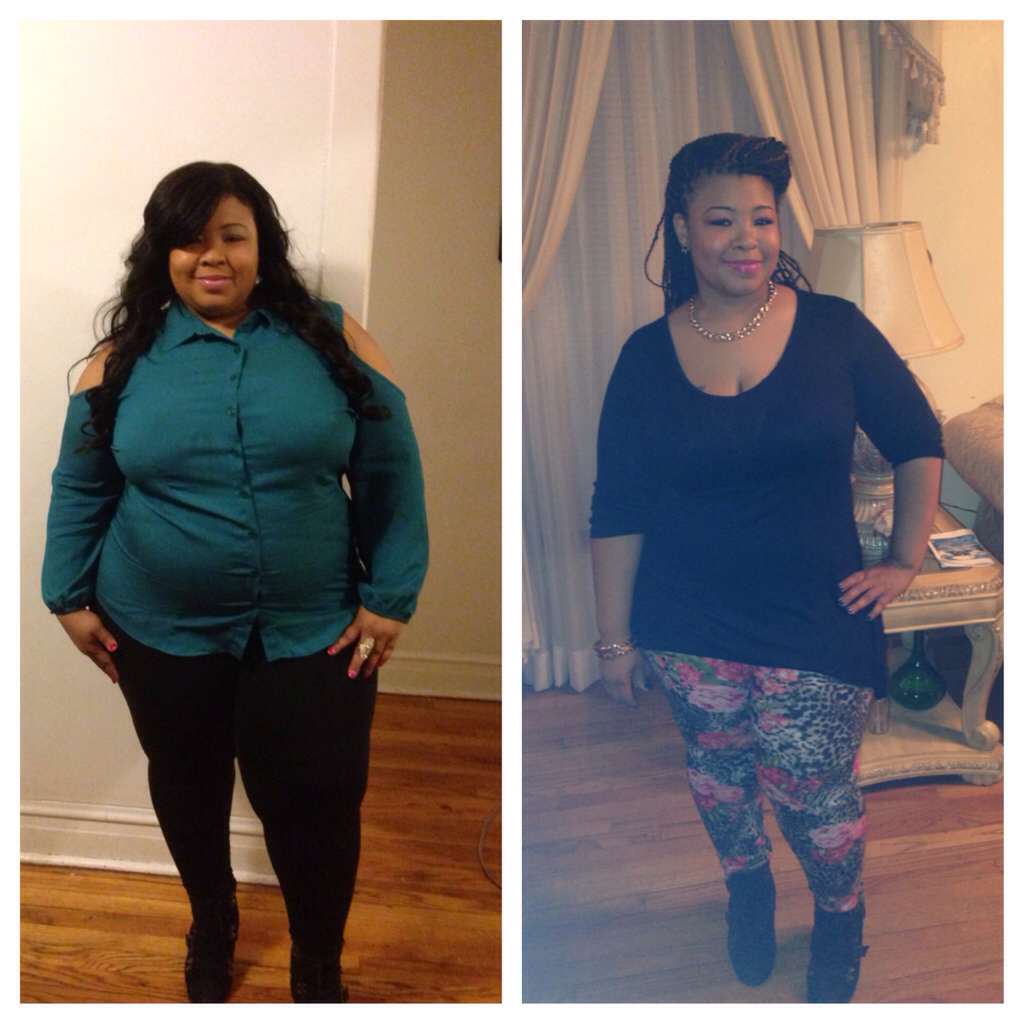
I loss 103lbs
-
-
-
Thank you! ????
-
-
Thank you! God has definitely answered my prayers. All I can do is praise God for his blessings! ????
-
-
Thank you! Yeah I can't believe it was that long.
-
So I'm 1yr and 1 month post op, and I've just found out I'm 6 weeks pregnant! I'm so excited but scared at the same time. I already have a 15&13yr old, so parenthood is not new to me. However I've been trying to have another baby for 10yrs now, and boom it happens after I've lost all this weight. My dr sent me to see a gynecologist to see was I infertile, and we talked, and she reveled to me I was pregnant. I'm telling you I was in total shock!!!! This is me last Friday when I found out.

-
-
-
thank you!
-
-
thank you!
-
-
Thank you! Happy surgivasary to you too!
-
Thanks! Yeah I hear you. I have snack like chips and cookies around for my kids, and at first I didn't eat them but now when I want cry or have a melt down I snack sadly!
-
-
In the beginning it wasn't that bad because I was really motivated. I had my struggles too but after a few weeks it gets easier. The biggest motivation will be when you start noticing your clothes hanging off you. Lol Good luck to you!Thank you!So today marks one year since my journey started. My HW was 303 and my CW is 201. I went from a size 24 to 14-16. This journey has been very bumpy and emotional for me. I've had some good days, and bad days! I haven't lose any weight in months and it cause me to get stressed out. I started slacking in my exercising, and eating stuff I had no business eating because I'm a emotional eater. I feel hunger all the time now, and I find myself eating way more than I could before. I even gained 9lbs back... Which sucks!!!! I don't have any energy anymore. I've sat down with my nutritionist and she recommended I go back to the basic to get back on track. On a positive note I thank God that I've come this far, and I'm going to get myself together mentally so I can lose this next 50lbs. Here are a few pictures of my journey.





 I've been really considering doing just that. I notice I'm able to eat a lot more than I use to so now I'm worried about that.