Skip to content
View in the app

A better way to browse. Learn more.

BariatricPal

A full-screen app on your home screen with push notifications, badges and more.

To install this app on iOS and iPadOS
  1. Tap the Share icon in Safari
  2. Scroll the menu and tap Add to Home Screen.
  3. Tap Add in the top-right corner.
To install this app on Android
  1. Tap the 3-dot menu (⋮) in the top-right corner of the browser.
  2. Tap Add to Home screen or Install app.
  3. Confirm by tapping Install.
  • Appearance

Join BariatricPal free

  • Ask your own questions
  • Reply and follow topics
  • Message other members
  • No cost, no spam

Alohashelli

LAP-BAND Patients
  • Joined

  • Last visited

  1.    Alohashelli reacted to a post in a topic: What's on your "Do Not Eat" list?
  2.    Alohashelli reacted to a post in a topic: Embarrassed to go for a fill..
  3. Hello! I am very new to this site I was banded on July 30th and so far everything is going very well. I have and am following everything to the letter and that included my pre-op diet and more importantly my post op diet. Here is my question: How do I know if I am full, or if I am still hungry? Since I am only on day 9, I have not had a fill yet, but as the days go by my appetite is increasing. I will eat my allotted amount and then really try to figure out if I am satisfied or not. Then I will think...Heck no....there is no way that 2 ounces of strained vegetable Soup broth can fill ME up! I know there are alot of beavioral changes that will need to be made but in the meanwhile is there any advice anyone can give me? I have a post surgical follow up with my dietician on tuesday. Thank you all inadvance Best wishes!!!!
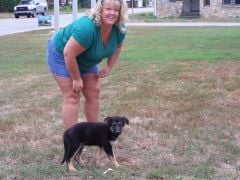
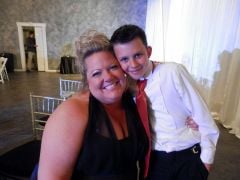
  4. Images added to a gallery album owned by Alohashelli in Before and After Lap Band Photos
    Alohashelli, a weight loss surgery photo album by Alohashelli on BariatricPal. 4 photos in Before and After Lap Band Photos.

Account

Navigation

Search

Search

Configure browser push notifications

Chrome (Android)
  1. Tap the lock icon next to the address bar.
  2. Tap Permissions → Notifications.
  3. Adjust your preference.
Chrome (Desktop)
  1. Click the padlock icon in the address bar.
  2. Select Site settings.
  3. Find Notifications and adjust your preference.