Skip to content
View in the app

A better way to browse. Learn more.

BariatricPal

A full-screen app on your home screen with push notifications, badges and more.

To install this app on iOS and iPadOS
  1. Tap the Share icon in Safari
  2. Scroll the menu and tap Add to Home Screen.
  3. Tap Add in the top-right corner.
To install this app on Android
  1. Tap the 3-dot menu (⋮) in the top-right corner of the browser.
  2. Tap Add to Home screen or Install app.
  3. Confirm by tapping Install.
  • Appearance

Join BariatricPal free

  • Ask your own questions
  • Reply and follow topics
  • Message other members
  • No cost, no spam

Danigurl

LAP-BAND Patients
  • Joined

  • Last visited

Everything posted by Danigurl

  1. I could'nt have anything until the day after, all Doc's seem to be different. They gave me small cups of Ensure and applesauce. Then the next day I started back on Protien shakes from GNC, Lean Shake is good and apple sauce, greek yogurt and lots of water and diet snapple. Hang in there, the next few days will be rough but worth it.
  2. Congrats, I'm almost a week in since mine. My pain was so bad last Friday. I pushed through. Started feeling sick today and stayed home. i have a week immune system anyways so I chalked it up to germs from people at work..lol Sticking to ice pops, soup, protien shakes, yogurt and cottage cheese so far. I don't feel like I get full just yet. Weird.
  3. Congrats I am 8 day since being banded and I had the WORST shoulder pain as well. It was horrible. As far as my incision area, that was ok. A litte bit of pain here and there and feeling a bit sick now. In it for life now
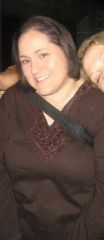
  4. Images added to a gallery album owned by Danigurl in Before and After Lap Band Photos
    Danigurl, a weight loss surgery photo album by Danigurl on BariatricPal. 1 photo in Before and After Lap Band Photos.

Account

Navigation

Search

Search

Configure browser push notifications

Chrome (Android)
  1. Tap the lock icon next to the address bar.
  2. Tap Permissions → Notifications.
  3. Adjust your preference.
Chrome (Desktop)
  1. Click the padlock icon in the address bar.
  2. Select Site settings.
  3. Find Notifications and adjust your preference.