




Skip to content
View in the app

A better way to browse. Learn more.

BariatricPal

A full-screen app on your home screen with push notifications, badges and more.

To install this app on iOS and iPadOS
  1. Tap the Share icon in Safari
  2. Scroll the menu and tap Add to Home Screen.
  3. Tap Add in the top-right corner.
To install this app on Android
  1. Tap the 3-dot menu (⋮) in the top-right corner of the browser.
  2. Tap Add to Home screen or Install app.
  3. Confirm by tapping Install.
  • Appearance

Join BariatricPal free

  • Ask your own questions
  • Reply and follow topics
  • Message other members
  • No cost, no spam

kbader

LAP-BAND Patients
  • Joined

  • Last visited

Everything posted by kbader

  1. Was banded May 2nd - have lost 14lbs and went back to work the 6th. All is going well so far
  2. Thanks ill do that
  3. I was just banded on the 2nd. Doing good but still getting some neck pain. Hopefully it will dissipate soon.
  4. Doing good - started pre op Mon and have lost 8lbs
  5. Doing good so far, even though my husband eats constantly I also had to start antibiotics due to a tooth issue. Does anyone know If that will be an issue? My surgery is May 2 and I'm done with them May 1st. Waiting on the nurse to call me back but I thought I'd throw it out here
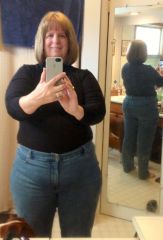
  6. Images added to a gallery album owned by kbader in Before and After Lap Band Photos
    kbader, a weight loss surgery photo album by kbader on BariatricPal. 1 photo in Before and After Lap Band Photos.
  7. Pre op diet starts April 22nd
  8. Liquids I'm just glad I'm back on track to have it done.
  9. I was on it for 5 days then had insurance mix up and had to reschedule - that was fun . It wasn't so bad after the second day.
  10. Surgery scheduled for May 2nd. I'm sure I'll be back on once my diet starts
Account

Navigation

Search

Search

Configure browser push notifications

Chrome (Android)
  1. Tap the lock icon next to the address bar.
  2. Tap Permissions → Notifications.
  3. Adjust your preference.
Chrome (Desktop)
  1. Click the padlock icon in the address bar.
  2. Select Site settings.
  3. Find Notifications and adjust your preference.