SJIrish
LAP-BAND Patients
-
Joined
-
Last visited
Everything posted by SJIrish
-
Well I lost 30 pounds since may 30th
-
Got my first fill today. I gain 3 pounds so I need to work hard to lose weight
-
Cool. When your surgery or did you have it done already
-
Hi what part of ocean county
-
I use chocolate protein and fresh blueberries puree
-
Went to the drs today lost another 7 pounds. Since I start my diet I lost total of 22 pounds
-
Today I made an awesome protein shake blueberry and chocolate. taste good.
-
I get my first fill on July 11th
-
Go back to work today
-
Thanks
-
Thanks
-
So I saw the Dr today I have lost 15 pounds since pre op diet
-
First Dr appointment tomorrow hope things go well
-
This liquid diet sucks
-
That awesome
-
Home today relaxing. Drink lot of liquids. I just found out the nurse where surprise about me get up after recovery in the hospital. I hope everyone is do good after there surgery
-
Out of the hospital. When I was in the hospital walk 6 times
-
To everyone I am do great some pain
-
Thanks
-
I am hospital for my surgery
-
so tomorrow I will be schedule for 915 am
-
Sure will
-
I am get nervous two days way from my surgery
-
24 hr until I start pre op diet
-
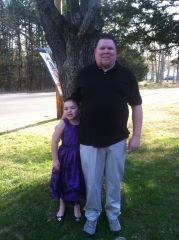
SJIrish, a weight loss surgery photo album by SJIrish on BariatricPal. 1 photo in Before and After Lap Band Photos.