Skip to content
View in the app

A better way to browse. Learn more.

BariatricPal

A full-screen app on your home screen with push notifications, badges and more.

To install this app on iOS and iPadOS
  1. Tap the Share icon in Safari
  2. Scroll the menu and tap Add to Home Screen.
  3. Tap Add in the top-right corner.
To install this app on Android
  1. Tap the 3-dot menu (⋮) in the top-right corner of the browser.
  2. Tap Add to Home screen or Install app.
  3. Confirm by tapping Install.
  • Appearance

Join BariatricPal free

  • Ask your own questions
  • Reply and follow topics
  • Message other members
  • No cost, no spam

PJCaldwell

LAP-BAND Patients
  • Joined

  • Last visited

Everything posted by PJCaldwell

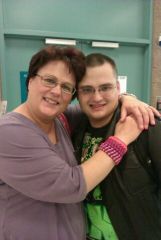
  1. Images added to a gallery album owned by PJCaldwell in Before and After Lap Band Photos
    PJCaldwell, a weight loss surgery photo album by PJCaldwell on BariatricPal. 3 photos in Before and After Lap Band Photos.
  2. Thank you all for your tips and i will put them to good use and i hope to report that soon i will be at 199 or less
  3. I am completely frustrated I had my band placed in April and have lost 25 pound. My frustration come from not being able to get under the 200 pound mark. I know that the weight did appear over night and that it will not go away over night however i would really like to loose the 13 pounds to get down under 200 by Christmas. Does anyone have any helpful hints or suggestions i would really appreciate all the advice i can get. Thanks a bunch
  4. My name is Patti , I had my band placed in April 2012 since then i have lost 25 pounds.My Surgeon Dr Bradley Marker. I live in LA (Lower Alabama). I like to quilt crochet and read. I work full time as a cosmetologist. I am married and have 4 grown children. Other than that i can't think of anything else to say.


Account

Navigation

Search

Search

Configure browser push notifications

Chrome (Android)
  1. Tap the lock icon next to the address bar.
  2. Tap Permissions → Notifications.
  3. Adjust your preference.
Chrome (Desktop)
  1. Click the padlock icon in the address bar.
  2. Select Site settings.
  3. Find Notifications and adjust your preference.