Skip to content
View in the app

A better way to browse. Learn more.

BariatricPal

A full-screen app on your home screen with push notifications, badges and more.

To install this app on iOS and iPadOS
  1. Tap the Share icon in Safari
  2. Scroll the menu and tap Add to Home Screen.
  3. Tap Add in the top-right corner.
To install this app on Android
  1. Tap the 3-dot menu (⋮) in the top-right corner of the browser.
  2. Tap Add to Home screen or Install app.
  3. Confirm by tapping Install.
  • Appearance

Join BariatricPal free

  • Ask your own questions
  • Reply and follow topics
  • Message other members
  • No cost, no spam

jolenecsky

LAP-BAND Patients
  • Joined

  • Last visited

  1.    Livinglifeout reacted to a post in a topic: 2 Months Out! 40 Lbs Down (Pics)
  2.    Need-a-Sleeve reacted to a post in a topic: 2 Months Out! 40 Lbs Down (Pics)
  3.    ksgirlmomof4 reacted to a post in a topic: 2 Months Out! 40 Lbs Down (Pics)
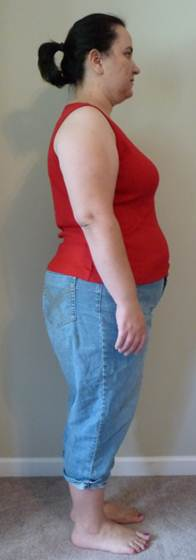
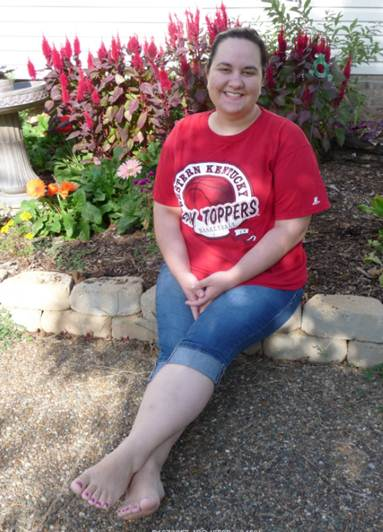
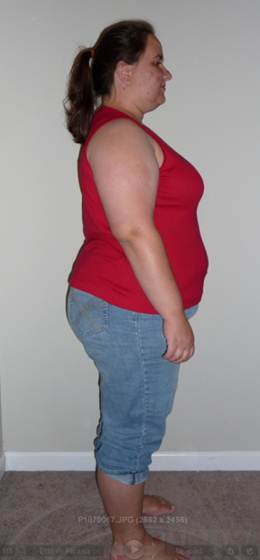
  4. Thanks everybody!! That first month was so hard, but I think I got this now! My goal weight was orginally 150, but I would really like to shoot for 135. So, I have about 87 lbs left to lose. I was stalled for a couple weeks, but I started doing the 5k training and it kicked my metabolism back into high gear! I lost 8 lbs this last week!
  5.    xavtay2 reacted to a post in a topic: 2 Months Out! 40 Lbs Down (Pics)
  6.    kryssaboo reacted to a post in a topic: 2 Months Out! 40 Lbs Down (Pics)
  7.    preetyfatchic reacted to a post in a topic: 2 Months Out! 40 Lbs Down (Pics)
  8.    shayv123 reacted to a post in a topic: 2 Months Out! 40 Lbs Down (Pics)
  9. Before: 7/29 262 lbs 2 months out: 9/29 222 lbs
  10.    jolenecsky reacted to a post in a topic: 4 Month Picture
  11. Hey guys!! I am getting sleeved August 15th by Dr. Oldham in Bowling Green, Ky! So excited! Starting my pre-op diet on Wednesday!

Account

Navigation

Search

Search

Configure browser push notifications

Chrome (Android)
  1. Tap the lock icon next to the address bar.
  2. Tap Permissions → Notifications.
  3. Adjust your preference.
Chrome (Desktop)
  1. Click the padlock icon in the address bar.
  2. Select Site settings.
  3. Find Notifications and adjust your preference.