fcwms67
LAP-BAND Patients
-
Joined
-
Last visited
Everything posted by fcwms67
-
Go at your own pace, listen to your body! It will tell you if you are over or under doing it. Vary your workouts...you won't get bored and it cuts down on muscle memory.
-
I meet with my trainer once a week for an hour. I also do his runners boot camp that meets 3 nights a week. I try to run/walk at least a mile and a half twice a week. It's summer so I am also swimming.
-
Exercise exercise exercise! I had my surgery July 18 and got a personal trainer October 30. It has made all the difference!
-
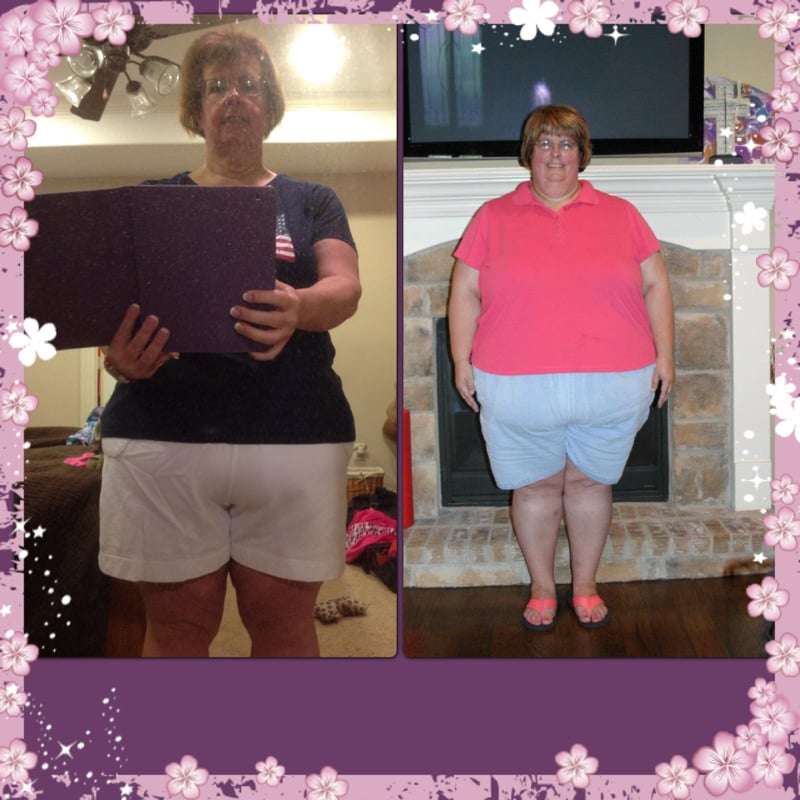
This is me after 11 months...down 150 lbs

-
@john: go to your local running store and try on a pair of Hoka One One...they are like running on a marshmallow! My feet knees and hips don't hurt when I run in them!
-
I just ran my first 5k last Saturday. It was really humid here that day so I ran 1/2 walked 1/2, but I used c25k to train for it! It works! Good luck y'all!!
-
I was sleeved in July. I have worked with a personal trainer since October. I am down 146 pounds and will be attempting my first 5k ever on June 1! I highly recommend a personal trainer to help with pacing and rigor post op!
-
Where in Texas are you? I live in College Station and you are right about the humidity! If you are local, I can suggest a fabulous personal trainer!