Redw3k
LAP-BAND Patients
-
Joined
-
Last visited
-
NaNa I think I was taking big bites. Yesterday while eating I tried small bites and experience no burping. I never felt the fullness level like I'm feeling now it took about two years to get here. I can get cup and half of food down if that. Thanks so much for the help.
-
-
I know this might sound crazy but I have been banned for 2 years now and I think I'm at my green zone but not don't know what is the green zone and what does the green zone feel like. Can you guys help me with this?
-
-
-
I had a fill last Thursday everytime I take a bite I feel like I have to burp or I have hiccups after I eat. What do this mean?
-
Thanks guys
-
-
-
 ☠carolinagirl☠ reacted to a post in a topic:
i'm alone slowly but it coming off a year and two months. i
☠carolinagirl☠ reacted to a post in a topic:
i'm alone slowly but it coming off a year and two months. i
-
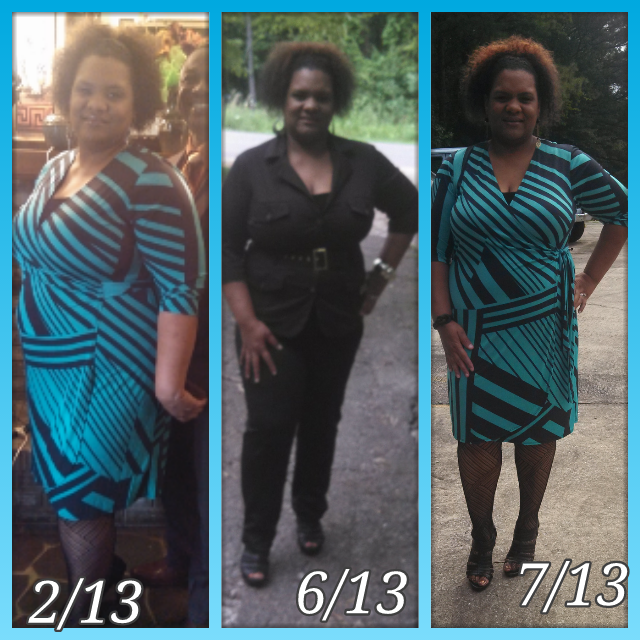
I had to change Dr. Because wasn't getting the fill from the first Doctor but I'm a little over 40 pounds lighter by I love my new Dr. [ATTACH]27615[/ATTACH]

-
Thank you all
-
-
-
[ATTACH]27506[/ATTACH] [ATTACH]27506[/ATTACH]

-
OK I started a small dose myself 400iu because I felt my getting to tired quick I felt aches and my body I tried vitamin b12 it didn't work I felt drained too
-
Do anyone take vitamin D3 and could tell me why? What effects it have for you?
-
-
This new Doctor have really help me I lost 8 pound in a month with eat right & exercise I'm at 4 in a half cc.
-
-
-
-
To update my progress everything has been good I have noticed a restrictions for the first time . I have got on my scales at home and my scale says 2 pounds since Monday. Trying to get in all my protein I Can. And I hope everything continues to do well with me and I wish everybody luck.
-
To update my progress everything has been good I have noticed a restrictions for the first time . I have got on my scales at home and my scale says 2 pounds since Monday. Trying to get in all my protein I Can. And I hope everything continues to do well with me and I wish everybody luck.
-
To update my progress everything has been good I have noticed a restrictions for the first time . I have got on my scales at home and my scale says 2 pounds since Monday. Trying to get in all my protein I Can. And I hope everything continues to do well with me and I wish everybody luck.