





brittneyly
LAP-BAND Patients
-
Joined
-
Last visited
-
-
-
-
I'm 24w1d prgo. I've gained 17lbs. Started at 143lbs today I am 160lbs... I got pregnant around 11 months post op but didn't find out till my 1 year post op appointment. I have to be careful with how much I eat and what I eat because the restriction has gone out the window. I was only able to eat maybe 1/4 of a sandwich before I got prego and now I can eat a whole sandwich. I find myself basically eating all the time! I crave sweets! My dr keeps telling me to stop worrying about my weight and just eat healthy but it's hard! Hope this helps you some!
-
Thank you! That is definitely what I am hoping for! I am going to work hard at it!
-
Thank you! And thanks!
-
Thank you!
-
Thanks!
-
Thank you! And I will definitely keep the updates coming.
-
Started at 260- 5'3" 23 years old Now at 143- 5'3" 24 years old I go up and down about 5 lbs. I eat normal and don't keep my self from things that I want! I've become addicted to shopping! I'm a little worried about gaining weight with this pregnancy! I started juicing! I'm making this short! Good luck to you all!
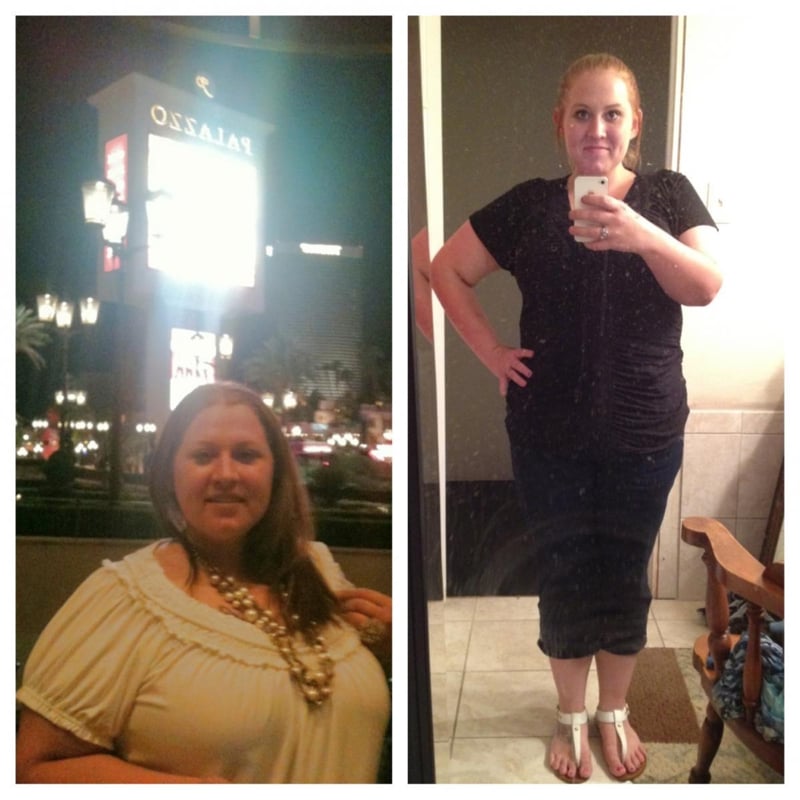
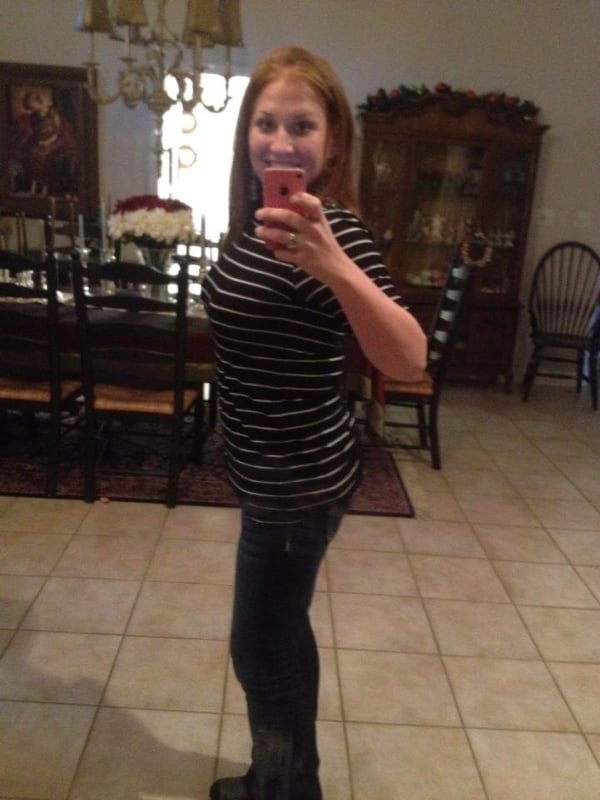
 Start April 1st---257 Surgery day May 1st---240. & today 180....I haven't exercised much. I can eat most everything...no chicken or beef! Doesn't sit well! I feel like I've done well...I dont get hungry...my goal is 160 so 20 more lbs...second goal is my high school weight of 139...it's been four and a half months since surgery...and down 60 lbs and 77 since preop! Good luck!Thank you!Thank you!


Account
Navigation
Search
Configure browser push notifications
Chrome (Android)
- Tap the lock icon next to the address bar.
- Tap Permissions → Notifications.
- Adjust your preference.
Chrome (Desktop)
- Click the padlock icon in the address bar.
- Select Site settings.
- Find Notifications and adjust your preference.
Safari (iOS 16.4+)
- Ensure the site is installed via Add to Home Screen.
- Open Settings App → Notifications.
- Find your app name and adjust your preference.
Safari (macOS)
- Go to Safari → Preferences.
- Click the Websites tab.
- Select Notifications in the sidebar.
- Find this website and adjust your preference.
Edge (Android)
- Tap the lock icon next to the address bar.
- Tap Permissions.
- Find Notifications and adjust your preference.
Edge (Desktop)
- Click the padlock icon in the address bar.
- Click Permissions for this site.
- Find Notifications and adjust your preference.
Firefox (Android)
- Go to Settings → Site permissions.
- Tap Notifications.
- Find this site in the list and adjust your preference.
Firefox (Desktop)
- Open Firefox Settings.
- Search for Notifications.
- Find this site in the list and adjust your preference.