





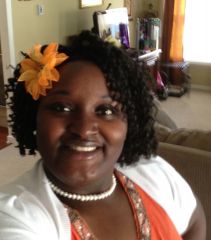
readyset2go
LAP-BAND Patients
-
Joined
-
Last visited
Everything posted by readyset2go
-
Congratulations!!! I am so glad things are working and you are continuing to lose! Yay!!Thank you! I am excited for you. The one thing I have learned is that exercise is the only way to continue to lose.I am now 61 pounds lighter! Finally under 300lbs! I am excited and looking forward to more changes.I am loving life and changing my exercise...each month.readyset2go, a weight loss surgery photo album by readyset2go on BariatricPal. 2 photos in Before and After Gastric Sleeve Photos.Hello All, I was sleeved on March 3rd. I am happy about my new tool. I feel that I am stalling. This week my goal is to increase my exercise and ensure that I am getting all of my Water and Protein.It was around $4500. You should email them from the website to get the current promotional rate.Thank you all!!I also take my B12.I'm up. I'm proud today...I have been in the hotel gym for almost an hour working out. I got good news from my PCP. All of the lab work she performed was great two weeks after surgery. She was a little disappointed I didn't tell her before the surgery. I'm thankful this morning for good health and the ability to get up and let my workouts and the sleeve help meet my fitness goals.I'm almost two weeks out. I have not loss any more weight. I'm waiting to see my PCP to get the stitches out. I'm still happy I hope my checkup goes well. Fingers crossed, I will let you know how it goes.Congratulations!! I was sleeved on March 3rd.... I am of the opinion that YES...our lives will be much better. I plan to buy my an ultra tiny car when I lose the weight... A Gucci Fiat!! I cannot wait... Your vacation will be AWESOME!! Welcome to the sleeve family. Good Luck!!I am using MFP also. I am ShlondraIt has officially been a week since my surgery. I am very pleased. The only issue I have is gas. I am taking the gas pills my doctor prescribed but the gas is still there...oh well. If all I have is gas, I am ok. I started my puree'd diet yesterday. I made tuna salad in the food process....can you say DELICIOUS!! My doctor suggested that I get as much Protein from food as I could and then use the supplements. I also tried the Gerber lil turkey sticks....they were good also and has 17g of protein per jar. I am officially down 20 lbs since before my surgery. I am excited. On to the next week. I am about to go walk my dog..we stay out for about an hour. I am enjoying my new tool and I plan to make the best of it.Congratulations on your surgery! I hope that you continue pain free.Day 6 OMG... it is difficult to get in all of the fluids and Protein. How do you all do it? I am trying. It is after 6pm and I am using My Fitness Pal to track everything. I did walk the dog for 30 mins. I can say that I feel good. I did not do too bad today with my food... here's what I did today.... The total fat was 1 g Protein 67 g Carbs 42 g Sugars 35 g My total calories 455 for the day. I am still sipping on Water but I still need some more protein. I am supposed to have 80 g per day. I am going to try sipping on the whey protein shot that has 42 g of protein. I feel like taking another walk. My sugar and carbs are very high... I have to work on that tomorrow. I am taking it one day at a time.Hello, The doctor suggested that I walk 30 mins each day for the first two weeks. Once my scares heal, I can then swim because that is what I like to do best. He told me that in week 4 I could add in some weights to tone and then get on a regular workout schedule. My plan is after week 4 to begin the body for life workout schedule and swim. I did it before and the workouts are easy and can be accomplished while I travel and at home. They target specific body parts each day as well as ensure that we get in the cardio. The body for life workout plan is online and free.My doctor recommended that I drink maalox before eating if I started having a hard time swallowing. He also said....chew, chew, chew... if you are at that stage. I hope the discomfort eases soon.Day 5 On my way back home. I am still doing really good. No issues. I feel very lucky compared to a lot of postings where people are very sick. I am looking forward to my afternoon walks with my dog until I can get in the pool each day. Now to tackle the Atlanta Airport... lol. Oh well, it's a new day! I'm gonna give it my best.Day 4 A full day on my own with the liquid diet. I've learned that the best way to get my Water is by eating crushed ice. I still fill great. I walked 30 minutes on the San Diego harbor. I spent a few extra days before flying back home. I wanted to make sure I was ok before flying. My only issue is the excess gas but that is normal. I took my medicines with no problems. All-in-all today was a good day.Awesome.... Congrats! I know you must be excited.I was just discharged. The doctor is awesome. He came in answered all my questions. We walked through the food and excercise plan. He gave me antibiotics, pain killers, and merderma for the scares. I drank the dye to ensure no leaks. Then a nice glass of apple juice. After three days of nothing, this was the best juice ever. I am very pleased. Knock on wood I have not had any pain. The doctor suggested that I take Maalox or milanta liquid before meals to coat my stomach during the first four weeks. I'm excited to begin my new journey. My patient coordinator is taking us to a hotel here in Tijuana so that we are close in the event I need to see the Dr. After the checks, I think I will be just fine. I'm looking forward to becoming a loser.






Account
Navigation
Search
Configure browser push notifications
Chrome (Android)
- Tap the lock icon next to the address bar.
- Tap Permissions → Notifications.
- Adjust your preference.
Chrome (Desktop)
- Click the padlock icon in the address bar.
- Select Site settings.
- Find Notifications and adjust your preference.
Safari (iOS 16.4+)
- Ensure the site is installed via Add to Home Screen.
- Open Settings App → Notifications.
- Find your app name and adjust your preference.
Safari (macOS)
- Go to Safari → Preferences.
- Click the Websites tab.
- Select Notifications in the sidebar.
- Find this website and adjust your preference.
Edge (Android)
- Tap the lock icon next to the address bar.
- Tap Permissions.
- Find Notifications and adjust your preference.
Edge (Desktop)
- Click the padlock icon in the address bar.
- Click Permissions for this site.
- Find Notifications and adjust your preference.
Firefox (Android)
- Go to Settings → Site permissions.
- Tap Notifications.
- Find this site in the list and adjust your preference.
Firefox (Desktop)
- Open Firefox Settings.
- Search for Notifications.
- Find this site in the list and adjust your preference.