MrsInsanity
LAP-BAND Patients
-
Joined
-
Last visited
-
-
-
-
My doctor has set me up with a nutritionist and I'm on a very strict diet. I'm not saying you should follow it exactly if you don't feel like it's right for you but take into consideration maybe? My diet is very similar to atkins which I had done in the past. I do not eat any: bread Pasta rice potatoes fruit sugar artificial sweetener or any drinks other than coffee, tea, fat free milk and Water. When I drink coffee I get something flavored and use fat free or low fat half and half or creamer and whichever is lower in calories. When i drink tea I get the unsweetened. Now I do my best to follow this diet but it is very strict and pretty damned hard to follow so for instance the creamer in my coffee although better for me than something that's flavored and amazing, it still has a little sugar in it. for breakfast most days I have a morning star vegetable patty. That brand has many to choose from like garden vegetable (so good and loaded with things like olives, bell peppers, water chestnuts and carrot), chicken patties (vegetarian), and even sausage patties. all of them are full of Protein and taste great, seriously =) for lunch I have something like chicken salad that I make with canned chicken (also full of protein) fat free italian dressing, a teensy bit of olive oil mayo, small chunks of swiss cheese and quartered cherry or grape tomatoes. I need a fill so lately I've been having a snack between lunch and dinner although I probably shouldn't =( but I bring a string cheese and one bread and butter pickle spear. it's roughly 100 calories for that. for dinner I try to stick with just meat and vegetables. Grilled chicken and carrots or broccoli or brussel sprouts. I stay away from ground beef since I looked at the package and saw that 4 oz is like 340 calories all by itself and I'm only supposed to have 300 calories a meal and 100 calories toward a drink (milk) or my snack. So 900 to 1000 calories a day. I don't know if any of that will help you at all but it has helped me. I have had a plateau of about 4 months when I could not afford a fill, but I didn't gain and I'm back on track and losing slowly with the insanity work outs and eating better than I did.
-
I'm sorry to hear that the band didn't work for you. Everybody is different and I hope that the bypass works out for you instead =) best of luck.
-
I know there are already a ton of comments on this page but I really wanted to share my experiences and thoughts on this. I lost a friend right before my surgery day. The months leading up to my surgery she constantly asked me if I was still going to be her friend after I was thin. I told her of course I would be. I will be the same person, only thinner and healthier and I'll always value your friendship. She eventually stopped replying to text messages, answering my phone calls, etc. She was jealous is all I can think of. She hadn't even gotten to the point yet where she would need to deal with my new body or outlook on health. I feel as if most comments that are made to me are sarcastic or jealous. Most women that I thought were friends will say things like 'must be nice to just have all that weight melt away.' and lord do I hate correcting everyone all the time by explaining that I work out like a damned fiend and eat very little not to mention the very difficult healthy food choices i constantly battle with. People have asked me if I'm on drugs because of the weight loss and I laugh. I'm open with everyone about my surgery so I just set them straight. I actually had my sister in law tell me many a cruel comment. Most recently she asked me what size pants I wore. I told her I was in tens and she literally sat and stared at me without saying a word for a good full minute before saying 'i hate you.' I went from a 20 at my largest to a 10 now and my goal is a 7. I would like to lose another 30 lbs because after those 30 lbs are gone I will be at a healthy bmi. I try to shrug off all of the mean comments and move on. Just know that what's important is your health, your happiness and your will power and willingness to accomplish this. All I want from this journey is to be happy with my body and to nip all health concerns in the butt. I love my band. I struggle and am not always a model bandster but I try hard and I bust my ass doing the insanity workouts 6 days a week sometimes 7. I am determined. =) I wish you the very best. Keep your chin up and your body moving!!!
-
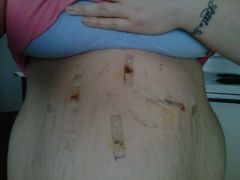
I began walking i believe two weeks after surgery but check with your surgeon. Keep in mind you are still supposed to drink lots of water. My first bowel movement was 13 days after surgery. I used benefiber powder in my water to aid with that and I called my surgeons office when I was concerned and was informed that it was only because of how little I was eating immediately after surgery. Hope that helped.
-
thank you very much =)
-
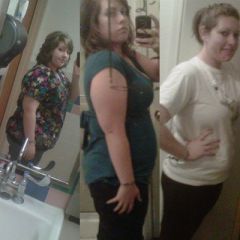
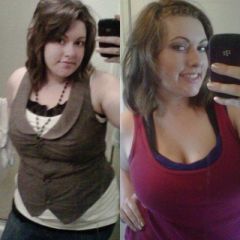
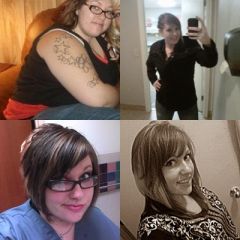
starting to now =), a weight loss surgery photo album by MrsInsanity on BariatricPal. 30 photos in Before and After Lap Band Photos.
-
-
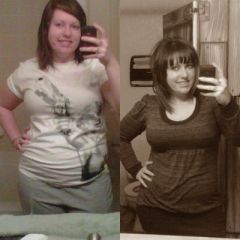
Hello everybody. I had previously had an account on here but havent been on in forever and created a new account. The twenty-fifth of this month will be my one year bandiversary =) I have lost almost 80 lbs and have been at a plateau since August but began the insanity work-outs almost three weeks ago and have lost three more lbs. I have had my struggles as we all have had or will have. I'm glad to be back and amongst others who have been where I have been and understand on a level that not many people do. =)