mdrai
LAP-BAND Patients
-
Joined
-
Last visited
-
-
Oh my goodness, Judy, I am so glad that you're both ok!! Pam, you sound like you're doing great! Janie, sorry to read about your foot. TG was good... on Weds I was in the kitchen from 1:30 - 10pm cooking & baking for Thurs... masehd pots, sweet pot casserolle, fresh green bean casserole (not w/soup), from-scratch yeast Parker House rolls, from-scratch cinnamon buns, French apple pie... hauled it all down to my mom's and it was enjoyed by all. I was "gifted" the turkey carcass, and made soup yesterday... mmm, it made the house smell sooooo good! DS & I went into oldtown yesterday morn and had such a good time... much to his excitement (not, lol) we went to the yarn store & their big sale and I purchased the softest baby lama yarn for a vest for him, ++ some other yarn... we walked up & down, saw the Grinch, had a latte, chatted with friends, went in & out of shops to get Xmas ideas, walked through the Cultural Arts Center's wreath exhibit/auction... a very nice mother/son morn. Came home and I felt a tickle in my throat -- & today I'm SICK! Nose, head, ears popping, sore throat... wah. AND, our heater is not working! So it's 61 in here. I'm bundled up in my bathrobe & 2 quilts on the couch... w/my growing pile of tissues... at least there's nothing I have to do and I can wallow and rest rather that having to power through it like I usually do! DH spent yesterday fiddling w/the heater, and finally called someone... he came out and fiddled w/it some more... then told us we'd need a new control board for $400, but he couldn't get it 'til next week... & of course a cold snap hit last night! Off to resume my position on the couch... everyone have a good day... be safe!!
-
Now there are chocolate whoopie pies rolled in candy canes! Where's the laughing rolling around smilie? Oh, not conveniently located at the bottom of my screen where it used to be so handily located! Duh! 1 more thing... how does one become an "anonymous" user? & here I thought that "guests" were sneaky!
-
HA HA HA! The first ad on the right-hand column is for King Arthur Flour and has a big ol' honkin gingerbread house... I love KAF and get my speciality baking supplies there... SO FUNNY that they're adv'ting on here!! Has the world gone crazy?!
-
I don't know if I can take this site anymore... too much stuff / bells & whistles in the way. Bleh. Who has time to adjust everything & figure it all out? Not me! Have they never heard the phrase "Keep It Simple Stupid"? Edited to add: Oh, and how I dislike the ad right here in my post! That's not obnoxious or confusing! Seriously, this is horrible. DD placed FIRST in both rounds of her jumper show last night! First time she's done that... she was soo excited! Will post a pic (HA! not if it take more than a few mins to figure out how). Off to grocery shop & then make sides & pie & appetizer to take to my mom's for tomorroow. Oh, and cinnamon buns for the morn while watching the parade -- that's my fav part of TG day... snuggle under the blanket on the couch w/a java and a cinn bun & watch the parade.
-
Yuck. I'm liking the design & functionality and ease of use of this site less & less. Ack!
-
(((Pamela))) xoxo from NC
-
Oh my gosh Laura that sounds good. Really good. Too good.
-
Good morn, girlies, I hope you get all that straightened out, Janie. Love your attitude & determination, Judy! I'm gonna get me some of that... on Monday! Down 7 already Pam! Huzzah! Laura, I keep thinking about doughnuts! Thanks. It's another soccer weekend for us. Heading to Raleigh, NC, today. Will check in from the road... Everyone make it a great day! -- & weekend!
-
"holy shit" at that!
-
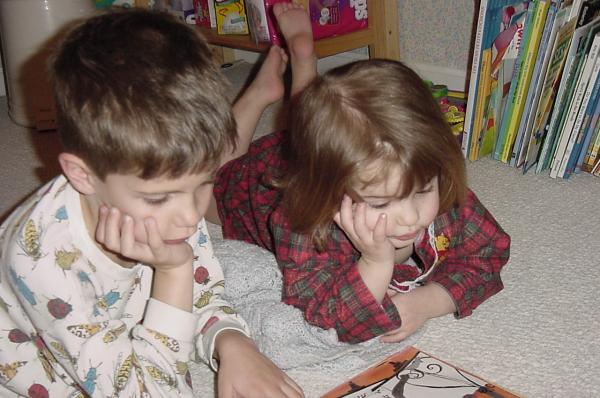
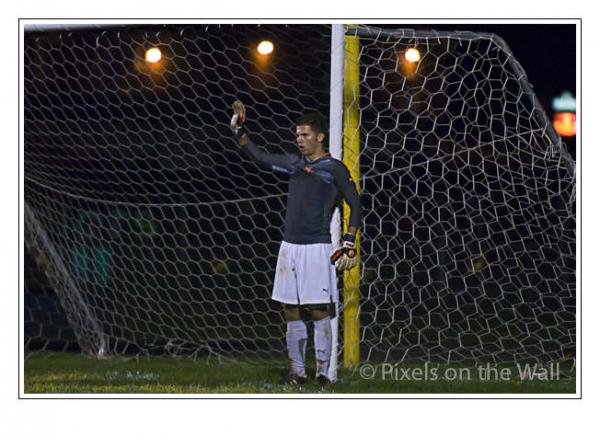
It will come as no big surprise, I'm sure, when I tell you that the jester hat picture was taken at his very first US national soccer game! Soccer... of course! The one where he's reading to C & they both look so intent really gets me, too... Off to Panda Express to pick up his favs & surprise him @ school lunch w/them!
-
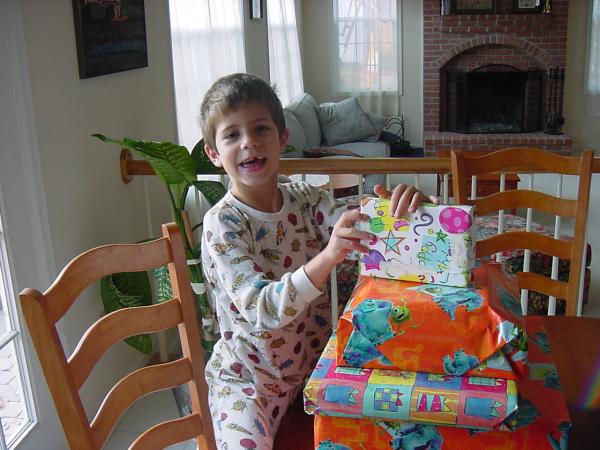
Thanks for the kind words, dear friends... I do love being a mom. This morning was fun... balloons everywhere, on the tv remote, the computer mouse, even in the shower! Yummy b'fast... he was happy w/his gifts... & gave me an extra big hug before leaving for school... what a guy. How do they go from this (2001, the year we got our first digital cam): To this... So quickly?? Riddle me THAT, Batman.




-
Those are so beautiful, Haydee! What a lucky little girl!! I meant to say earlier, Laura... mmmmm, donuts! You're doing great, Pam! Yes, Judy, I think he just may win it all, too! My friend was very coy and all she'd say was "It's a fabulous outcome." He certainly does spaz out at least once per episode, but he sure can cook! If I ever get back to NYC, I'm definitely going to his restaurant! Janie, I hope your headaches calm down!! I'm setting up for ds's 16th birthday tomorrow. Gifts & cards on the table for when he comes down for breakfast, egg casserole and cinnamon bread for breakfast, balloons, streamers... the works! I'm going to try to sneak 1 doz helium balloons into his room tonight while he's sleeping, so when he wakes up, balloons are everywhere! Internally, I'm a wreck. HOW IS HE 16????? Seriously, in my mind's eye he's Carson's age and adorableness. If I let myself think about it, I get very "vaklempt" (sp)... so I try not to think about it. He's grown into such an amazing person... kind, smart, funny, athletic, witty, helpful, curious, musical, passionate, involved... and taller than me! Did I tell you that he was accepted into National Honor Society? Induction is in a week. Ok, off to wrap one last gift... then to bed, so I can wake up in the night to do the sneaky stuff! I love doing sneaky mom stuff!! G'night!
-
Hi from the barn!
-
Pam making the bed?? You must be feeling disoriented, girlie! Seriously tho, it's good that you're aware of yourself & perhaps a good strategy is to just plan to do the bare minimum (ha!, I know) this week... be kind & gentle w/yourself & others... and when the going gets rough, daydream about Pam T'giving 2011!! :thumbup: When the boys got home from soccer last night, I discovered that they've invited folks here to a football [artu tpmogjt fpr tje Eag;es v/ Redskins game -- ok, that is what I really wrote! Let me try again... a foodball party tonight for the Eagles v. Redskins game. A family of friends + ds's gfriend and her dad, + us. Surprise, Mom! :laugh: I'm going to do all appetizers... buffalo chix dip w/French bread, 7-layer dip & chips, veggies & dip, + choc fondue w/all the fixins... figure it's easier than cooking a bunch... We never know that the day brings, huh? I'm off to volunteer @ the MS... everyone make it a great day!!
-
Doing this & that today... deep cleaned the family room & kitchen, always a fun time, not. Have a short chapter to do tonight, so I can turn it in the the a.m. I'm volunteering at dd's MS tomorrow all morn, answering the phone to schedule teacher conferences for the 7th grade... fun fun. Will hit Sbux first!! + take a magazine... This is a short week for me. DS's 16th birthday is on Weds, then Thurs @ Noon we all leave for Raleigh, NC, for another big soccer tourny. Ds's team won all 3 this weekend, ALL shut-outs! Yay! You're doing great, Pam... hang in there! Goulash = nom nom!