Skip to content
View in the app

A better way to browse. Learn more.

BariatricPal

A full-screen app on your home screen with push notifications, badges and more.

To install this app on iOS and iPadOS
  1. Tap the Share icon in Safari
  2. Scroll the menu and tap Add to Home Screen.
  3. Tap Add in the top-right corner.
To install this app on Android
  1. Tap the 3-dot menu (⋮) in the top-right corner of the browser.
  2. Tap Add to Home screen or Install app.
  3. Confirm by tapping Install.

sophiemadrid

LAP-BAND Patients
  • Joined

  • Last visited

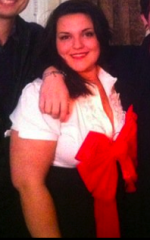
  1. Hi, my name is Sophie and I just decided that I want to get a Lap Band! I want to thank everybody on these forums, I've been spending some time now reading all of your stories and insights and they've really helped to inform my decision. I have been struggling with weight since i was 8 years old. Now I'm 21 and it's really gotten out of control. I don't want the rest of my life to be defined by my weight. So i contacted my surgery center and will make an appointment to talk with a surgeon this week! I know this is just the beginning, but I fell like I need all the support I can get (my family isn't exactly on board). Thanks for reading, I hope I'm not too boring and I cant wait to be successful like everyone on here who's inspired me

Trending Products

PatchAid Vitamin Patches

Account

Navigation

Search

Search

Configure browser push notifications

Chrome (Android)
  1. Tap the lock icon next to the address bar.
  2. Tap Permissions → Notifications.
  3. Adjust your preference.
Chrome (Desktop)
  1. Click the padlock icon in the address bar.
  2. Select Site settings.
  3. Find Notifications and adjust your preference.