Skip to content
View in the app

A better way to browse. Learn more.

BariatricPal

A full-screen app on your home screen with push notifications, badges and more.

To install this app on iOS and iPadOS
  1. Tap the Share icon in Safari
  2. Scroll the menu and tap Add to Home Screen.
  3. Tap Add in the top-right corner.
To install this app on Android
  1. Tap the 3-dot menu (⋮) in the top-right corner of the browser.
  2. Tap Add to Home screen or Install app.
  3. Confirm by tapping Install.

lozanorivera69

LAP-BAND Patients
  • Joined

  • Last visited

  1.    voldemort reacted to a gallery image: july Pic
  2.    voldemort reacted to a gallery image: Bod Pic 2013
  3.    elgrande reacted to a gallery image: smile!!
  4.    lozanorivera69 reacted to a comment on a gallery image: 57 LBS GONE.jpg
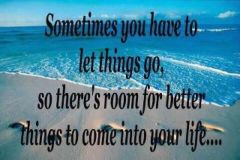
  5.    BigDennis reacted to a gallery image: Let things Go For better ones
  6.    BigDennis reacted to a gallery image: extra pieces
  7.    BigDennis reacted to a gallery image: romeo
  8.    BigDennis reacted to a gallery image: pose;)
  9.    goal_will_be_met reacted to a comment on a gallery image: 574716 10151006565244358 1413959605 N
  10.    lozanorivera69 reacted to a comment on a gallery image: 574716 10151006565244358 1413959605 N
  11.    lozanorivera69 reacted to a comment on a gallery image: 574716 10151006565244358 1413959605 N
  12.    lozanorivera69 reacted to a comment on a gallery image: 574716 10151006565244358 1413959605 N
  13.    lozanorivera69 reacted to a gallery image: 062212185401

Trending Products

PatchAid Vitamin Patches

Account

Navigation

Search

Search

Configure browser push notifications

Chrome (Android)
  1. Tap the lock icon next to the address bar.
  2. Tap Permissions → Notifications.
  3. Adjust your preference.
Chrome (Desktop)
  1. Click the padlock icon in the address bar.
  2. Select Site settings.
  3. Find Notifications and adjust your preference.