Joy82
LAP-BAND Patients
-
Joined
-
Last visited
-
-
Hi Amanda! I am pregnant as well! I am now 14 weeks along. I had an unfill when I was about 6 weeks when I started having alot of nausea. Luckily I did this because I threw up that very night. I have gained some weight back but I still try to eat healthy and keep my weight under control. I was banded Jan 2011 and lost 165lbs before getting pregnant. Let me know if you wanna chat sometime! I'd love to!
-
I tried to get it on my new iPhone and it wont let me. But, if you log onto it from your computer it works. They need to fix the bug.
-
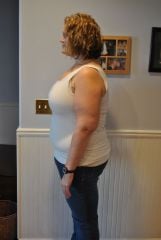
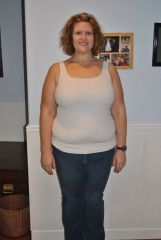
Here are some pictures of me from before my LapBand
-
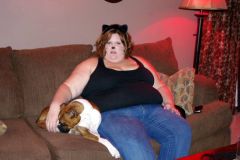 Halloween 2010
-
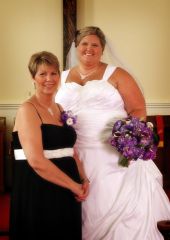 August 7, 2010
-
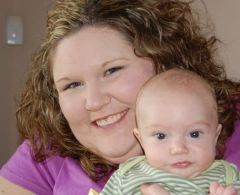 April 9, 2010
-
 Taken on my 28th Birthday in 2010.
-
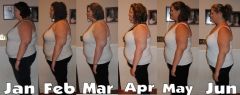 JoysJourneySide
-
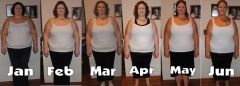 JoysJourneyFront
-
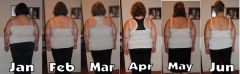 JoysJourneyBack
-
 225136 1828956282618 1201659659 31679239 5377156 N
-
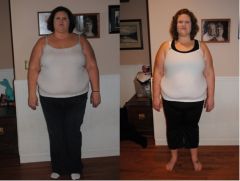 BandA April
-
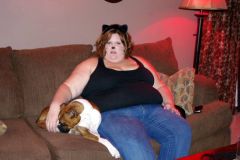 73291 10150092996275681 721175680 7624281 8379888 n[1]
-
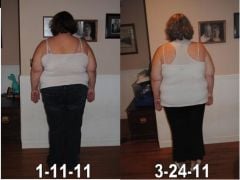 BackBandA.jpg
-
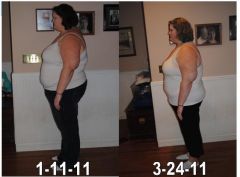 SideBandA.jpg
-
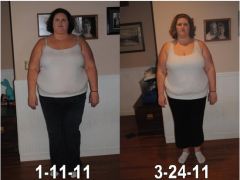 FrontBandA.jpg
-
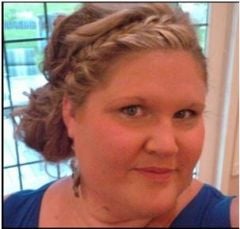 joyshower.jpg
-
 JoyandSluggerrrr.jpg
-
 DSC07624.JPG
-
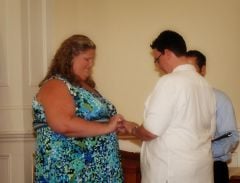 2.jpg
2.jpg
-
-
Randoms, a weight loss surgery photo album by Joy82 on BariatricPal. 6 photos in Member Photo Gallery.
-
Thanks so much for all the tips!! We are doing our research now so it will be easier come the new year. Thanks again!
-
My boyfriend and I are considering trying the vegan lifestyle (after the holidays of course!) for about a month and I was wondering if anyone else has tried it with the LapBand? I'm worried about not getting enough solid proteins but I also haven't done too much research yet. Anyone here vegan? If so, any helpful hints??
-
So I should eat more calories?? I can't eat more food... just won't fit! I'm just scared to eat too many calories. I don't want to gain weight!! I can't go back to gaining!!
-
For the past two weeks I havent lost one pound!! I had my first fill back on March 2nd and dropped about 20lbs in two weeks. I had a check up on the 16th and told them I didnt think I needed a fill because I was doing so awesome!! But NOW!! I have been stuck for 2 weeks and I'm working my butt off at the gym and eating all my Protein, very little fat and less than 1000 calories a day!! What is going on!?! How can I break through this platuea???? Please help!!
-
I went back to my doctor and they took out .5cc and its all good now! The weight is just falling off now! Thanks for the help!
-
I got banded on the 20th of January. Honestly, my eating habits havent changed much (In the way of chewing). I eat slower and get full faster. I recently got my first fill and am too tight so I'm going back in the morning to get it fixed but that is when my doctor starts to tell me to eat very small bites and chew 15-20 times. I havent had any issues but I hear after you get something stuck the first time you learn to take it alot slower! Good luck and I know I'm glad I chose to do the surgery even though I'm having some full issues. It'll all be worth it in the end!!
-
I'm going in first thing in the morning... Thanks for the reassurance.
-
I had my first fill today and cant keep even my spit down. Someone mentioned my band may have slipped?? How do you know?
-
Yeah I drank water at his office and it seemed okay. I will call them then. I am having a hard time not throwing up right now. (Carrying a bucket around with me.)
-
I had my first fill today and everything seemed ok. I got home and was tired so I laid down for awhile. When I woke up I felt horrible! It felt like the worst gas pain in the world and tons of pressure on my chest. I tried to take some gas-x but then shortly after I threw up 3x. I havent thrown up yet though this whole experience and I still have that pressure on my chest. Is this normal? I havent eaten or had anything to drink since doctors office. Should I call them??
-
-
My doc told me I could drink all the way up to when I eat and then 30 min after. Seems to work well for me so far but I havent had an adjustment yet.