






Skip to content
View in the app

A better way to browse. Learn more.

BariatricPal

A full-screen app on your home screen with push notifications, badges and more.

To install this app on iOS and iPadOS
  1. Tap the Share icon in Safari
  2. Scroll the menu and tap Add to Home Screen.
  3. Tap Add in the top-right corner.
To install this app on Android
  1. Tap the 3-dot menu (⋮) in the top-right corner of the browser.
  2. Tap Add to Home screen or Install app.
  3. Confirm by tapping Install.
  • Appearance

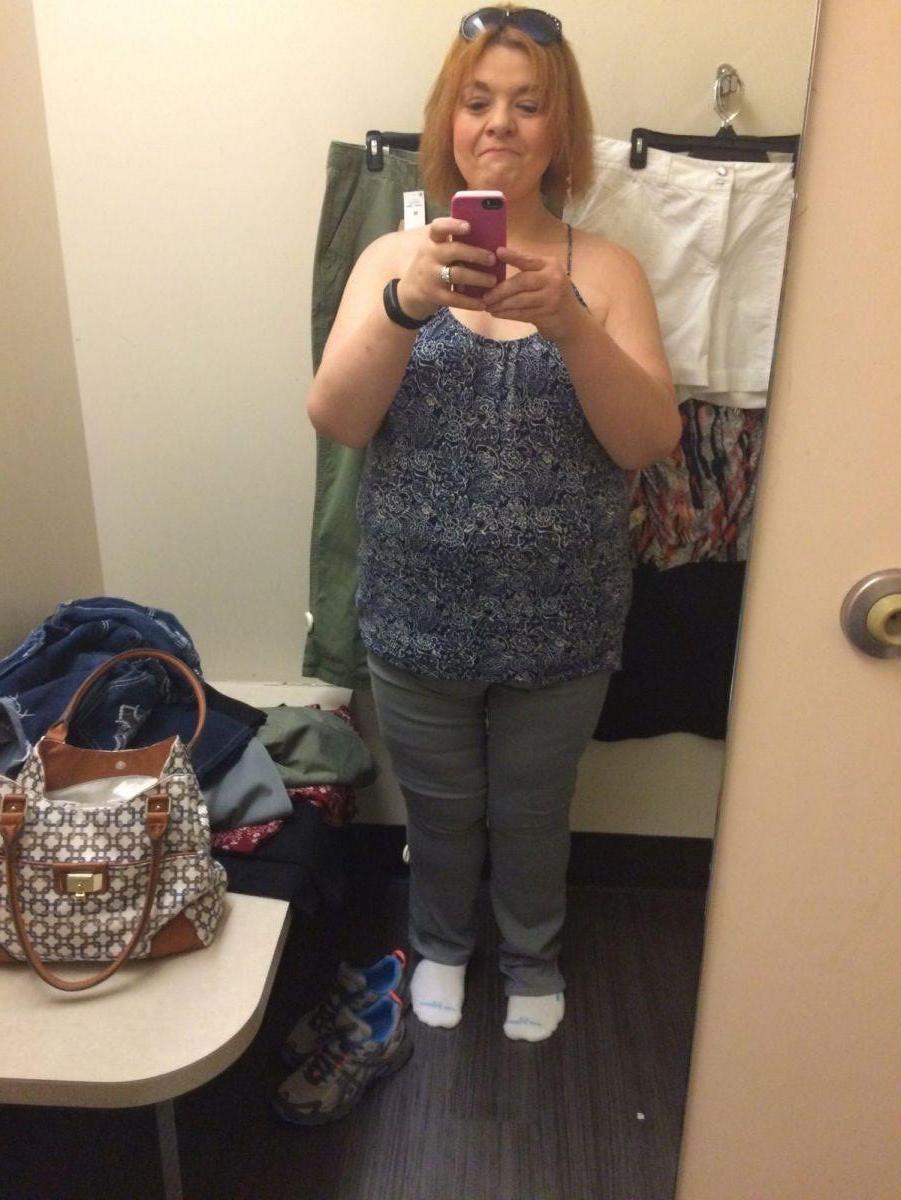
No longer plus size

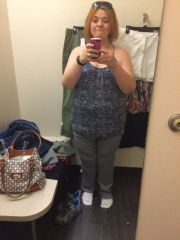
Labor Day I went shopping for pants because I had nothing that fit. I started out trying 18's and they were too big, then went to the "regular" dept and tried on 16's and they were too big, then 14's and they were too big, this is me buttoning and zipping a tight size 12! I cried in the dressing room. I never imagine this day really happening!

From the album:

No longer plus sized!!!

· 8 images

Photo Information

  • Taken with Apple iPhone 5s
  • Focal Length 4.2 mm
  • Exposure Time 1/24
  • Aperture f/2.2
  • ISO Speed 320

Account

Navigation

Search

Search

Configure browser push notifications

Chrome (Android)
  1. Tap the lock icon next to the address bar.
  2. Tap Permissions → Notifications.
  3. Adjust your preference.
Chrome (Desktop)
  1. Click the padlock icon in the address bar.
  2. Select Site settings.
  3. Find Notifications and adjust your preference.