





Skip to content
View in the app

A better way to browse. Learn more.

BariatricPal

A full-screen app on your home screen with push notifications, badges and more.

To install this app on iOS and iPadOS
  1. Tap the Share icon in Safari
  2. Scroll the menu and tap Add to Home Screen.
  3. Tap Add in the top-right corner.
To install this app on Android
  1. Tap the 3-dot menu (⋮) in the top-right corner of the browser.
  2. Tap Add to Home screen or Install app.
  3. Confirm by tapping Install.

Pre Op

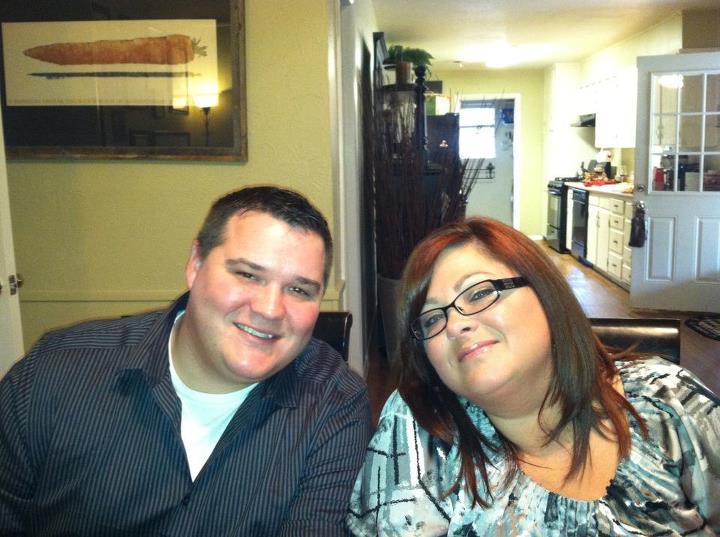
Pre-op Thanksgiving, 5 days before my surgery. I weighed 263 prior to surgery and 244 the day of surgery.I had gained so much weight that I no pants to wear on Thanksgiving and my husband had to run to walmart and buy me a pair of jeans. We did not know what size I was so he bought a 22 & 20. 22 was tight but i pulled it off. Thank goodness I could not eat so mypants did not get tighter as I stuffed my face like in years past.

From the album:

Kris Cheek Journey

· 2 images

Account

Navigation

Search

Search

Configure browser push notifications

Chrome (Android)
  1. Tap the lock icon next to the address bar.
  2. Tap Permissions → Notifications.
  3. Adjust your preference.
Chrome (Desktop)
  1. Click the padlock icon in the address bar.
  2. Select Site settings.
  3. Find Notifications and adjust your preference.