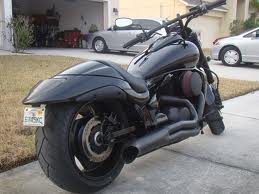
m109r2 blacked Out 1 Share https://www.bariatricpal.com/gallery/image/53656-m109r2-blacked-out-1/ Share via email Share on Facebook Share on X Share on Reddit More sharing options... Followers This is the next bike I'm gonna buy. It's muuuuuuch faster than my current bike (it's like, crazy-fast). Plus it looks sexxxxy... I should be able to get this by my birthday if I don't mind breaking the bank and paying cash. What' $15 grand between friends?
ouroborous LAP-BAND Patients February 24, 201214 yr Author stats Oh, in case you're wondering, that's a slightly tweaked Suzuki M109R2. No, it's not a Harley; I don't ride crappy bikes... I ride GOOD bikes. And yes, it sounds bad-ass, not like a putt-putt lawn mower.







Recommended Comments
Join the conversation
You can post now and register later. If you have an account, sign in now to post with your account.