




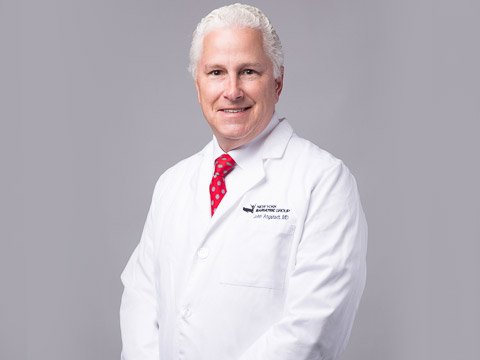
John D Angstadt, M.D., F.A.C.S., F.A.S.M.B.S
About John D Angstadt
Dr. Angstadt completed his general surgery training at Thomas Jefferson University Hospital in Philadelphia, PA . Following completion of his general surgery training, Dr. Angstadt developed an extensive background in advanced minimally invasive surgery performing laparoscopic colectomy, laparoscopic nephrectomy for transplant and laparoscopic splenic and adrenal surgery. Dr. Angstadt did his bariatric surgical training with Dr. Robert Marema, one of the busiest bariatric surgeons in south Florida.Prior to joining New York Bariatric Group, Dr. Angstadt founded and developed the only bariatric surgery program in South Georgia. His efforts took the program to certification as a Center of Excellence by the Surgical Review Corporation. Dr. Angstadt has been featured on television and speaks regularly on issues surrounding management of obesity.
Credentials and training
- NPI
- 1871535849 An NPI identifies a US provider. It does not establish current credentials or clinical quality.
Listed procedures
- Adjustable Gastric Band
- Gastric Bypass
- Revision Surgery
- Sleeve Gastrectomy
Hospital Affiliations
Select a hospital to see affiliated surgeons.
Group Memberships
- ABMS
- ASMBS
- FACS
- LAP-BAND
- SRC
Insurance Options
Select an insurer to see surgeons who list it.
- Aetna Health
- Anthem Health Plans
- Blue Cross
- CIGNA Health Care
- Highmark Blue Cross Blue Shield
- HIP Health Plans
- Medicare
- Oxford Health Plans
- United HealthCare
Insurance participation changes. Confirm coverage with the practice and your insurer before booking.
Practice and contact
-
New York Bariatric Group - Nassau County125 Mineola AvenueGet directions
Suite 200
Roslyn Heights, New York 11577 -
Phone800-633-THIN
-
Browse surgeons by location
-
Website Visit Dr. Angstadt's website
BEFORE YOU CONTACT THE PRACTICE
Prepare for a consultation with John D Angstadt
Use these questions to compare the practice with your needs. Your clinical team can explain which treatment options fit your health history.
- Which procedures do you currently offer, and what experience do you have with each?
- Where do consultations and surgery take place?
- Does my specific insurance plan cover the surgeon and the hospital?
- What does the full cost include?
- Who provides care after surgery, and how do I contact the team with a concern?
About this directory profile
What does a directory listing mean?
A listing helps you find practice information and member experiences. It does not establish clinical quality, current credentials, or availability.
How do I use member reviews?
Read the date and the details of each experience. Reviews are personal accounts. They do not predict your results or replace a clinical consultation.
What if a detail is missing or outdated?
Ask the practice for current information. Use “Suggest an update” on the surgeon profile to report a correction to BariatricPal.
Explore the bariatric surgery guides · Compare other surgeons