Skip to content
View in the app

A better way to browse. Learn more.

BariatricPal

A full-screen app on your home screen with push notifications, badges and more.

To install this app on iOS and iPadOS
  1. Tap the Share icon in Safari
  2. Scroll the menu and tap Add to Home Screen.
  3. Tap Add in the top-right corner.
To install this app on Android
  1. Tap the 3-dot menu (⋮) in the top-right corner of the browser.
  2. Tap Add to Home screen or Install app.
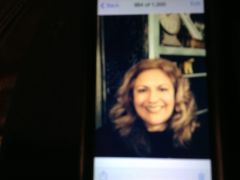
  3. Confirm by tapping Install.
  • Appearance

Join BariatricPal free

  • Ask your own questions
  • Reply and follow topics
  • Message other members
  • No cost, no spam

mommyofsomany

Gastric Sleeve Patients
  • Joined

  • Last visited

  1.    cabstewart reacted to a post in a topic: December 2013 Sleevers Come In!
  2.    RunningA5K reacted to a post in a topic: December 2013 Sleever Pounds Lost Log
  3.    RunningA5K reacted to a post in a topic: December 2013 Sleever Pounds Lost Log
  4.    DeezJeanz reacted to a post in a topic: December 2013 Sleever Pounds Lost Log
  5. My surgery date is also on 12-11-13!
  6.    DeezJeanz reacted to a post in a topic: December 2013 Sleevers Come In!
  7.    RunningA5K reacted to a post in a topic: December 2013 Sleevers Come In!
  8.    KaminaBlue reacted to a post in a topic: December 2013 Sleevers Come In!
  9. Hi ladies. . I'm a Dec11th as well... nerves are crazy right now I am having surgery at Integris Hospital in Okc... Anyone else out there gonna be there with me?
  10. Can I be added to the December sleeve group? My surgery is on December 11 and I would appreciate all the support I can get!
  11. I start the liquid diet on Sunday and have to do it three days before surgery. I am so nervous about actually making it through the three days! Hope to find some support and some friends on this site.
  12. Images added to a gallery album owned by mommyofsomany in Before and After Gastric Sleeve Photos
    mommyofsomany, a weight loss surgery photo album by mommyofsomany on BariatricPal. 1 photo in Before and After Gastric Sleeve Photos.

Account

Navigation

Search

Search

Configure browser push notifications

Chrome (Android)
  1. Tap the lock icon next to the address bar.
  2. Tap Permissions → Notifications.
  3. Adjust your preference.
Chrome (Desktop)
  1. Click the padlock icon in the address bar.
  2. Select Site settings.
  3. Find Notifications and adjust your preference.