prettylicious8
Gastric Bypass Patients
-
Joined
-
Last visited
Everything posted by prettylicious8
-
U look amazing. Wow I would love to know wat was ur schedule like wat was the food the help u the most am almost 4 month out n I feel like am not going to lose anymore weight
-
Thanks
-
That's a website or she's on YouTube
-
Am going to check I need more ideas its hard lol
-
Thanks
-
Hi am almost 3 months post op. I would like 2 know wat is one food or recipe the has helped u or u think is good at this stage the u really recommend ?
-
That sounds very good juana3087@hotmail.com
-
Ur welcome love
-
My is juana30.
-
Thank u so much
-
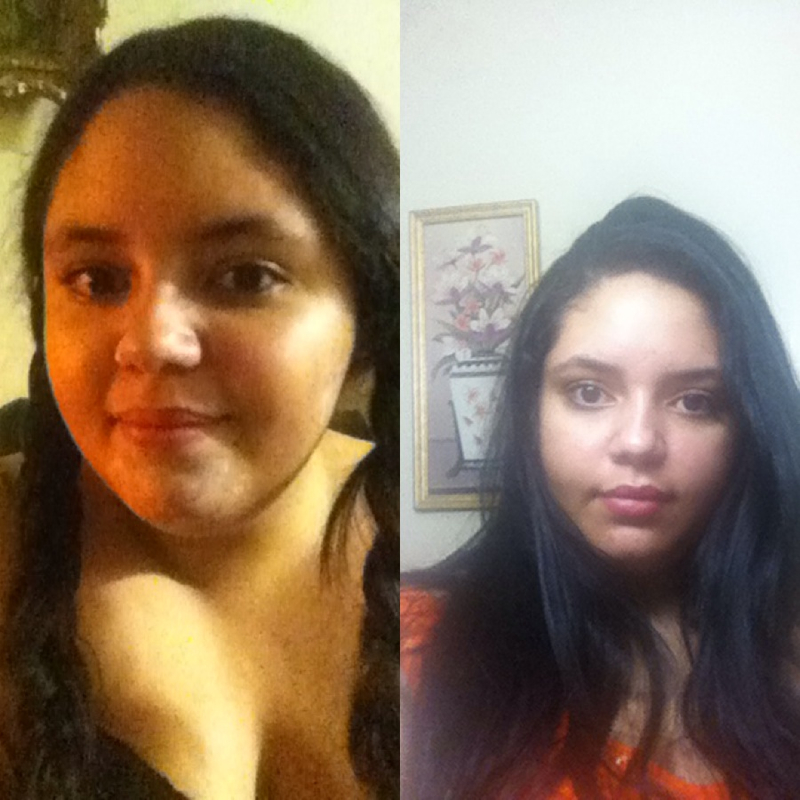
Congrats that's great keep the good workThanksThanksThanks ur gourges 2Ur rite cause I feel fat sometimes I feel if I have gained weight for some reason is weird I think my mind play with meThanksThank u do muchI know I shouldn't but sometime I feel like am still the sameU think so. Thanks MamiThanks I willThanks. I have lost only 25 pounds in 5 weeks but am getting there lolI so I want to put a pic this is the only way I can tell I have lost a few pounds. Am 5 weeks post-op. The one from the left was the night before surgery n the one from the rite was on Sunday
 I hate mustar but I love mayonnaise lol I could it anything with it lolR biosil drops good. Wat r they for?