Skip to content
View in the app

A better way to browse. Learn more.

BariatricPal

A full-screen app on your home screen with push notifications, badges and more.

To install this app on iOS and iPadOS
  1. Tap the Share icon in Safari
  2. Scroll the menu and tap Add to Home Screen.
  3. Tap Add in the top-right corner.
To install this app on Android
  1. Tap the 3-dot menu (⋮) in the top-right corner of the browser.
  2. Tap Add to Home screen or Install app.
  3. Confirm by tapping Install.

My 2 Month Progress Pics

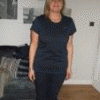
Here are my 2 month post op pics, I have been kind of bummed that I only lost 7 lbs this month (and haven't lost anything in the past week) but the pics show my progress so that makes me feel so much better!!

Here's the first set:

Click on the smaller picture to see a bigger version

l_d480e02219db1dfba2d148fe03ce7ad4.jpg

l_62b50cb620789d35440025caebf76e60.jpg

l_92d82e18b054df6c10e24737a8f06b24.jpg

Edited by MamaMichelle

  • Replies 19
  • Views 2.2k
  • Created
  • Last Reply

Top Posters In This Topic

Featured Replies

  • Author

Wow Guys...

Thanks so much for the kind words!! I read the board daily though I save most of my posting for my blog it's great to have a support system here and to be able to repay some of the inspiration that many of you have given me!!

I think that anyone who is wanting to really track their progress should take pictures in a similar way, once a month in the same outfit. Even if you never choose to show them to anyone but yourself it really helps you to see how far you have come, even if the scale isn't moving as quickly as you'd like it to!

Edited by MamaMichelle

MIchelle, I would like to add you to my myspace page if that's ok. You're a true inspiration. You look awesome.

I added your blog to mine and also posted on your blog. Can't wait to see more progress pics.

:smile2:

Join the conversation

You can post now and register later. If you have an account, sign in now to post with your account.

Guest
Reply to this topic...

Trending Products

PatchAid Vitamin Patches

Account

Navigation

Search

Search

Configure browser push notifications

Chrome (Android)
  1. Tap the lock icon next to the address bar.
  2. Tap Permissions → Notifications.
  3. Adjust your preference.
Chrome (Desktop)
  1. Click the padlock icon in the address bar.
  2. Select Site settings.
  3. Find Notifications and adjust your preference.