Skip to content
View in the app

A better way to browse. Learn more.

BariatricPal

A full-screen app on your home screen with push notifications, badges and more.

To install this app on iOS and iPadOS
  1. Tap the Share icon in Safari
  2. Scroll the menu and tap Add to Home Screen.
  3. Tap Add in the top-right corner.
To install this app on Android
  1. Tap the 3-dot menu (⋮) in the top-right corner of the browser.
  2. Tap Add to Home screen or Install app.
  3. Confirm by tapping Install.

Lost 200lbs total

  • Popular Post

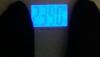
As of today I have lost 200lbs. I started at 439 and today 239. My goal was to reach 239 by April 1st, but with God's help, hard work at the gym by burning 2000 - 2100 calories a day in cardio and weightlifting and eating around 1100 to 1200 calories a day i have hit my goal much earlier than expected. I'm so proud of myself because i haven't weighed under 250 since i was 13 years old and I'm 38 now. For anyone thinking they can't lose the weight use my story as inspiration because it can be done, and i will help anyone that wants to try. I have to thank my husband and kids for keeping me focused everyday and loving me. I also can't forget the rest of my family, who has also given me the encouragement i needed also.post-242227-14580077128655_thumb.jpgpost-242227-14580077209619_thumb.jpg

Sent from my LGMS330 using the BariatricPal App

  • Replies 36
  • Views 3.4k
  • Created
  • Last Reply

Featured Replies

@@leanora27801 How long did it take for your to hit 200 lbs? I've been stuck at 120 down for a while now and my 1 year anniversary is May 1st. Any suggestions on what you did to break through your plateaus?

  • 3 weeks later...

Congratulations!!! What a tremendous journey you've been on and you are an inspiration to us all! Best wishes for continued success!

Archived

This topic is now archived and is closed to further replies.

Trending Products

PatchAid Vitamin Patches

Account

Navigation

Search

Search

Configure browser push notifications

Chrome (Android)
  1. Tap the lock icon next to the address bar.
  2. Tap Permissions → Notifications.
  3. Adjust your preference.
Chrome (Desktop)
  1. Click the padlock icon in the address bar.
  2. Select Site settings.
  3. Find Notifications and adjust your preference.