PaulaC
Gastric Sleeve Patients
-
Joined
-
Last visited
Everything posted by PaulaC
-
Maybe lower carbs and fat?
-
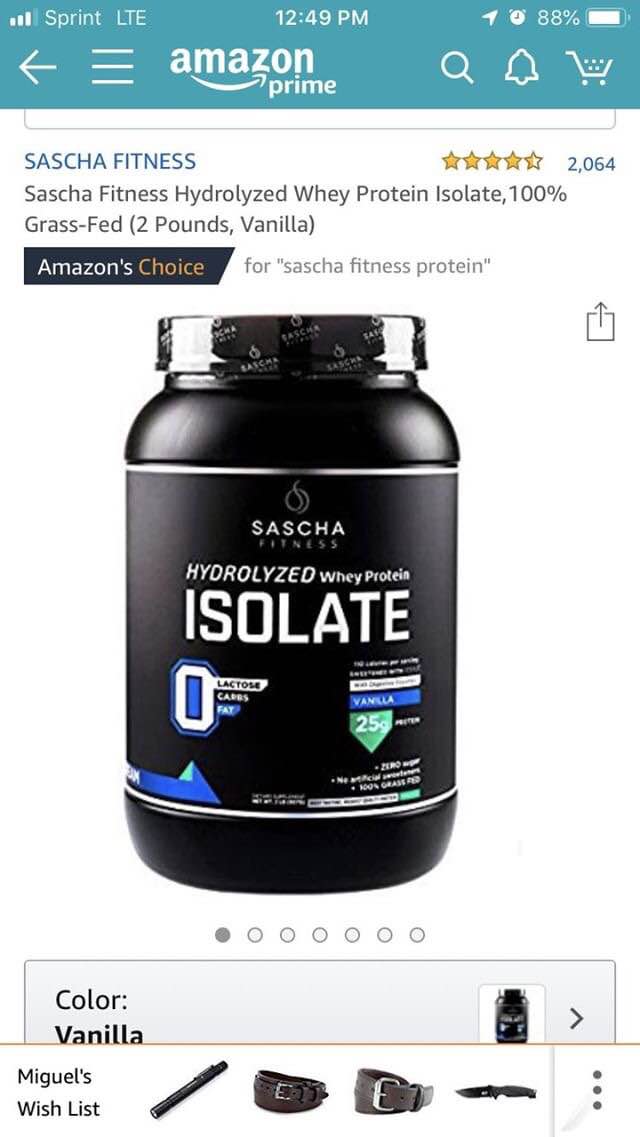
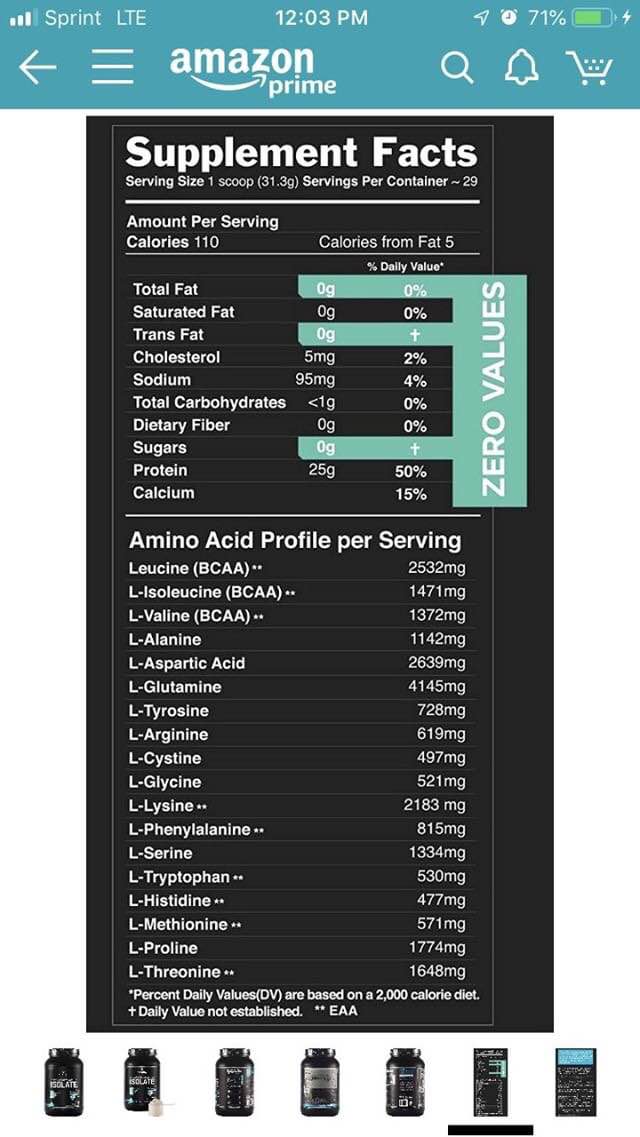
@jean9 The vitamins my Dr recommended are the one a day chewable, they’re not good but they’re doable. I make sure I have water to drink right after. The protein I’ve been drinking is made by Sascha Fitness it’s sold on amazon. It’s powdered but the nutrients are amazing, they have no aftertaste.
-
Well, it’s been 4 weeks since our surgeries. So far I’ve lost 25.5lbs and I’m super excited about it. I’m still struggling with my fluids and learning how to eat slowly. How’s everyone else doing???
-
My doctor didn’t require any pre-op diet. Just fast the night before the surgery, I have healed super fast. Not sure if it can be attributed to that. Also my surgery was 12/26 so I was able to fully enjoy the holiday feasts
-
-
Hello! I also had my surgery on the 26th. So far I’ve been feeling ok. The gas pain was pretty bad but other than that it was just a matter of being tired. Today I drove for the first time and I feel great. I’ve decided to only weigh my self every Wednesday so I can track weekly process. With that being said after week 1 I had lost 18.2lbs. My eyes almost fell out of my head! I am craving different things like cheese and savory foods. But it’s not a hunger issue, it’s all in my head, so it will take some time for me to fight the bad habit of eating when bored or feeling blah.